專案
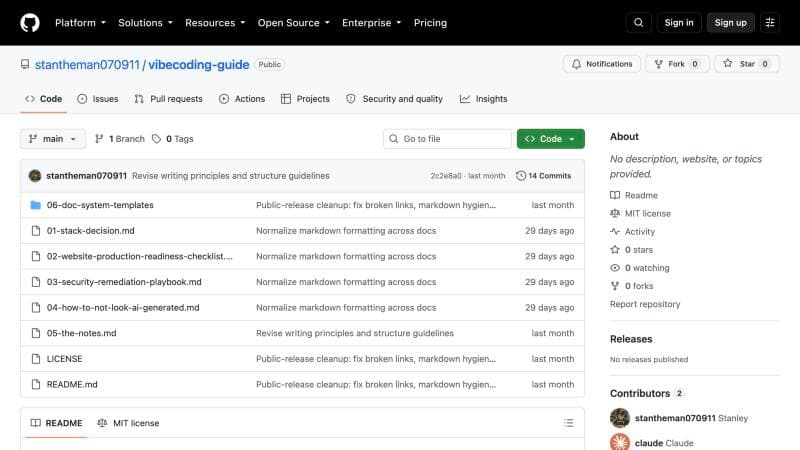
AI 開發指南
我把與 AI 協作的方法整理成公開指南,並用它完成網站、專案原型與實習工作。
- 開始使用生成式 AI
- 2023 年初
- 公開於
- GitHub
- 建中講座
- 2026/10/20(即將)
我在 2023 年初第一次接觸生成式 AI,起初主要把它當成學習工具。返臺後,我開始用它做專案:先把零散的想法整理成具體企劃,再做成網站的最小可行產品(MVP)。我也曾協助客戶架設網站、設計團購平臺的運作機制,並獲得實際收入。
在實作中,我逐漸學會如何與 AI 有效協作。我認為最重要的兩項能力是掌握上下文(context),以及清楚表達需求。開發時我發現,對話一長,AI 就可能忽略原本的需求,或產出與任務無關的內容。因此,我盡量精簡開發工具的設定,把專案目標、規則與重要脈絡集中在一至三份核心文件中,作為協作依據,減少輸出偏離任務的情況。
## Design and content rules

- Content is bilingual, Traditional Chinese first. The Chinese is Stanley's own wording, drawn from his written material; keep it as close to his words as possible and follow it in English.
- Keep the story and project pages skimmable: headlines and one-line summaries first, short sections after. Full-length source text lives in `plans/content/`.
- Do not invent portfolio copy, projects, dates, or metadata. Where a date is unknown, leave it out.

## Rules for Coding

### Prime Directive

There is nothing so useless as doing efficiently that which should not be done at all.

Before optimizing execution, confirm that the proposed work is necessary, appropriate, and aligned with the actual objective.我也把實際用過的指令、模板與技能設定檔(skills)整理成一套 AI 開發指南,公開在 GitHub。這套方法成了我的「第二大腦」,用在個人網站、專案開發與日常工作流程中。
- AI 開發指南github.com/stantheman070911/vibecoding-guide
- 為廖家欣製作的個人網站kellyliao.com
這種用 AI 快速製作原型、整理資訊並推進專案的能力,幫助我取得 2026 年暑假在一家軟體新創公司實習的機會。
此外,建國中學教務處邀請我於 2026 年 10 月 20 日主講「AI 實務與應用」講座,分享我使用 AI 的實作經驗,以及如何把 AI 應用在學習、專案開發與工作流程中。